Anthropic lets Claude Artifacts be installed as standalone desktop apps
Anthropic has opened a beta that turns Claude Artifacts into installable macOS and Windows apps. Those apps can use OS APIs, connectors and Claude itself.

Anthropic now lets you install a Claude Artifact as a regular Mac or Windows app. The feature is in beta as of today and needs the latest version of Claude for macOS or Windows. The pitch is simple: build the Artifact in chat, then keep it in your dock. No code written by you.
What the apps can touch
The interesting part is what those apps can reach. According to the announcement, installed apps can use OS APIs, connectors and Claude itself. In practice that means things like menu bar items, transparent windows and notifications. Anthropic's examples include custom terminals, file managers and video editors. There are several demos to try if you'd rather poke at one before building your own.
What you need
Requirements are light for now. Felix Rieseberg of Anthropic wrote on X that you need a Claude account and the Claude app, and that a free account is enough. If you have an Apple Developer account, you can also have Claude build a standalone app. The source doesn't spell out how that second path works, so don't assume it's a one-click affair until you've seen it.
Where it fits
So how would you use this? Start with the small internal tools nobody wants to staff. A menu bar item that pulls from a connector and pings you when something changes is the sort of utility that usually dies in a backlog. An Artifact that already talks to Claude can sit next to your other windows and be opened like any other app.
What's missing
There are gaps in what we know. The source says nothing about how these apps are distributed to a team, how updates work, or how permissions are scoped when an app touches OS APIs and connectors. Those are exactly the questions IT will ask the moment someone installs a custom file manager on a work laptop. Expect to find the answers by testing, since the announcement doesn't cover them.
It's also a beta, and it's tied to the desktop apps. If your team lives on Linux or in the browser, this isn't for you yet. For everyone on Mac or Windows, the cost of trying it is a free account and an afternoon.
We'd try it on low-stakes internal utilities first, the kind of thing a menu bar item or notification handles well. The open questions are distribution, updates and permissions, and we'd want answers before anything touches client data. It's a beta, so treat it as a prototyping surface and not as a place to host something critical.
- 01Claude Artifacts can be installed as standalone apps on macOS and Windows, in beta
- 02Apps can use OS APIs, connectors and Claude, enabling menu bar items, transparent windows and notifications
- 03A free Claude account plus the latest Claude desktop app is enough, per Anthropic's Felix Rieseberg
- 04With an Apple Developer account, Claude can also build a standalone app
Small internal tools could move from the backlog into something a non-developer builds in chat and runs from the dock. That cuts the cost of trying a tool idea, though governance questions come with it.
+Talk about your use caseSummary written by Neuvilabs from public reporting. Facts belong to the original sources linked above.
 AppsThe Brief
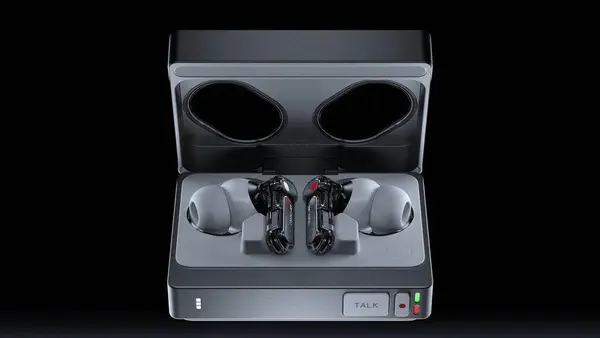
Nothing details Ear Note AI earbuds that record and summarize calls
Nothing has detailed its Ear Note earbuds, which launch December 8th. The charging case records, transcribes and summarizes conversations, and the buds record calls.
 IndustrySecond Look
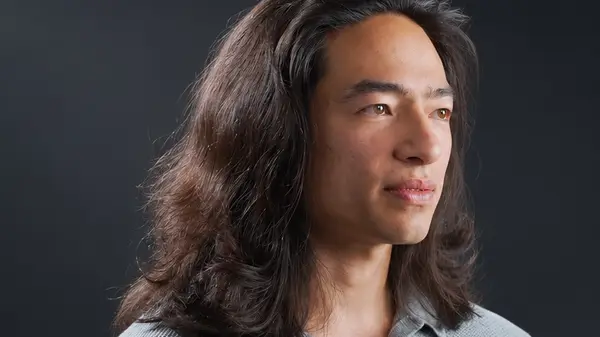
Anthropic researcher says most people could become unemployable, but the data has not moved
Tao Lin, a safeguards researcher at Anthropic, told Palisade Research that broadly superhuman AI could arrive around the end of 2027 and leave most people unemployable. Anthropic's own labor-market study found no systematic rise in unemployment so far.
 IndustryMarket Watch
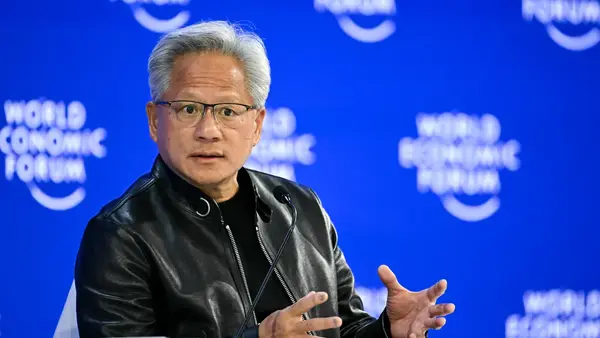
S&P weighs Nvidia credit downgrade as Huang's return raises governance questions
S&P Global Ratings is weighing a downgrade of Nvidia from AA to AA-, pointing to governance concerns after CEO Jensen Huang's ouster and return. A lower rating could raise costs for Nvidia and for the infrastructure firms it backstops.